CCM REVIEWS: MONTHLY CHRONIC CARE MANAGEMENT REPORTS
Definitions
Total Reports in Review- Total number of reports in queue for review
Reports Available- Total number of reports reviewed and ready for facility to access
Reports Opened- Displays percentage of total reports that have been opened by facility.
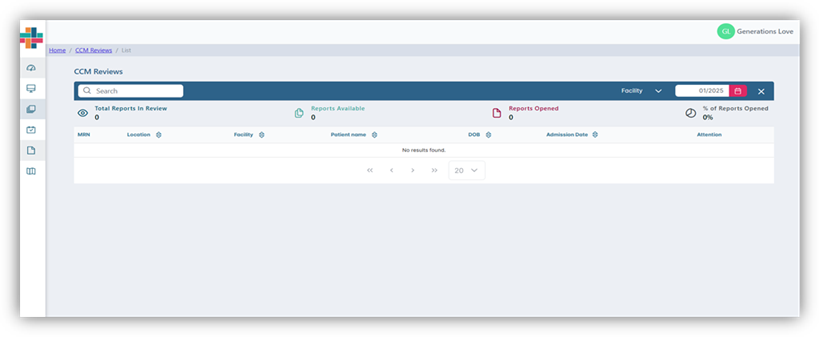
Monthly Chronic Care Management Report Queue
- Navigate to CCM Review page by hovering over left navigation bar of screen.
- Click on CCM Reviews Tab
- Select facility filter in blue navigation bar. User can search facility, unit, floor. Corporation will automatically populate below search bar. Click the carat to the left of Corporation name to open facility thread. User can focus down to unit or floor by opening carat to left of unit and floor.
- Choose the month the user would like to review by clicking on calendar icon in blue navigation bar and selecting the appropriate month.
- The queue will populate with patient demographics. Users can search by patient name or MRN number. Users can also sort results in ascending or descending order by clicking on triangles next to header names.

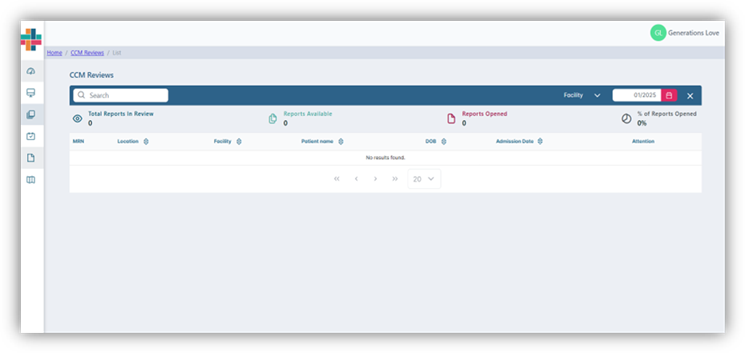
CCM Reviews: Sorting patient queue
- User can search by patient name or MRN number by entering data into search bar.
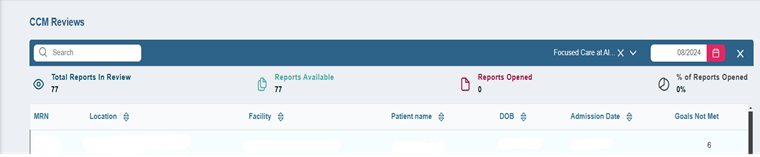
- Once queue is populated with patient data, click anywhere inside of patient card to access the patient care plan. The number under goals unmet indicates how many patient care goals have not been met within the patient care plan.
- Patient care plan will review patient demographics on the left side and care plan on the right side. The date of report is listed as date of service in top right hand side of report.
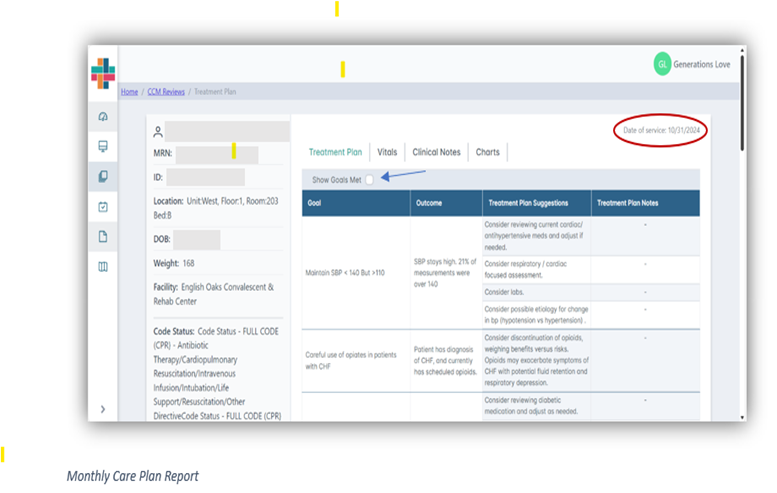
- If user would like to view all care plan goals, place a checkmark in Show Goals Met. Care plan goals that have been met will be highlighted in green on the report.
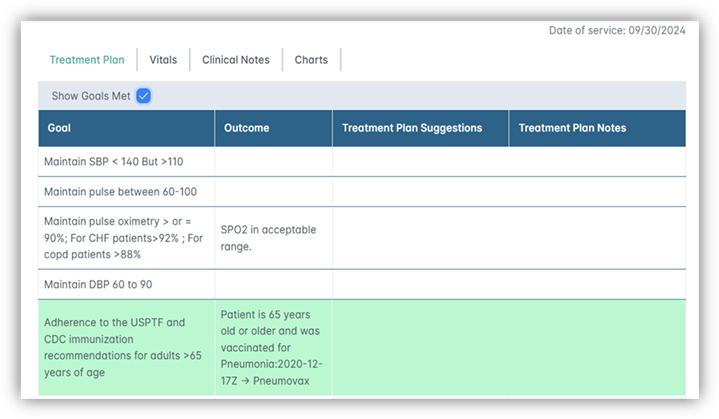
Ex: Goals Met
- User can navigate through the report by clicking on the tabs in the top middle of the screen. The tabs are: Summary, Treatment Plan (default), Vitals, Clinical Notes, and Charts
Summary Tab- Summarizes the care plan goals in an easy-to-read format. Allows for quick analysis of patient care plan and how patient is progressing toward goals
Treatment Plan: Users can view care plan goals and status (Goals Met/Goals Not Met)
- Goals: Describes patient care plan goals
- Outcome: States patient progress toward the care plan goals
- Treatment Plan Suggestions: Lists clinical suggestions to patient plan of care
- Treatment Plan Notes: Additional notes made by clinical review team. Not all patient care plans will have additional notes
Vitals Tab- Reviews patient vital sign data for the review month
Clinical Notes- Displays clinical notes input by Tapestry Clinical Review team
Charts- Vital sign data is presented in graph format for quick analysis
Was this article helpful?
That’s Great!
Thank you for your feedback
Sorry! We couldn't be helpful
Thank you for your feedback
Feedback sent
We appreciate your effort and will try to fix the article